 Some time ago, I was contacted via email by someone to help promote their program. I was then given a review copy of the program to test and write a review on it. The program was called My Memories Suite and it was a digital scrapbook software. I have never used a digital scrapbook before, even a physical scrapbook... I rarely used. So I didn't know what to expect when I first ran the program. But to my surprise it was actually pretty simple to use. Having created something, I was able to make a review. Read on for more.
Firstly, lets start off with the program logo.
 Software Logo
Nothing much to say about it except since its version 2, one can assume that future updates will be available to either add content or fix up bugs in the older versions. Thats always a plus. No one wants their software abandoned the moment you buy it. Hence one of the reasons for Apple's success. They treat their customers well and still offer support to them several years after purchasing their devices.
Next to discuss would be the layout of the program. Since I am neither a professional nor an art fanatic, I probably could not full appreciate the magnitude of features that the program offers. However, while I was using it, the program felt like an extension of my own moving limbs.
 Screenshot of the program
Why I said that was because everything was clear and just made sense. If you wanted to add a textbox or a photo, go on the right side and pick the right tab you need, and there would be the correctly labelled button which did exactly what you wanted it to do. Completely unlike other softwares (Microsoft Office Word, Microsoft Office Powerpoint), which to insert a picture, you need to go to the top menu then insert then picture. While I understand Microsoft Office isn't a software for creating digital scrapbooks, this program showed that simple and intuitive use of shortcuts makes doing things more like doing things. No more need to scour the menus to find out how to do every little task.
Because I've talked with general consumers, they don't need complicated computer programs. Apple knows this and that is why Apple is so closed, they do everything for you. From forcing you to use itunes with their devices, locking you out of a file system, not letting you jailbreak/unlock your phones. Those sound like all bad things. And in a way they are. But in another way, moving songs from your computer to an iphone if it had a file system could be very complicated. Most likely too complicated for some individuals to do. That means losing sales to Apple, so they just made it easy. What they're doing is targetting the general population (which is the majority). Only computer people would enjoy a file system where they sort their own stuff instead of letting Apple do it for them.
That aside was meant to explain while simple GUI or graphics user interface is important nowadays. If its too complicated for some people, they just won't buy it, if they won't buy it, you won't get money. So the plan is to make it simple enough for even babies to use. Because you can never be too sure.
Anyway.. ! That was a long aside. Great thumbs up for the user interface. Since I couldn't compare with other competing software, I'll leave this point at just that.
Next is the customization. While I may not know alot about art, I do know that art is about expressing yourself. Each person's piece must be independent of each other person and no two pieces of work are ever identical. Therefore, for this program to be truly successful in its own sense requires it to be adaptable to hundreds or millions of different artists and thus ideas.
I believe this company and program can definitely accomplish that. What makes me say that?
Well, there are several reasons. First of all this program offers an extensive list of pre-made templates where you can just apply, then simply add pictures and caption/text. It makes for one professional scrapbook with a few clicks of the mouse and a little bit of typing. Or you can go a little bit more by changing the template around to your free will until you find something you like. The template then bends and wraps around your creativity and that piece of work now becomes art.
Wait... what?? Well, if another person were to use the same template and changed it around, it is highly unlikely it would look like yours. Because you applied your own personality into it, it has individuality and is unique, those are what we call art.
While the program offers templates which are fine and dandy if you just want to get the job done. This program is provides much more than that. There is an option to create your own scrapbook from scratch. You decide what to place where, and build it the way you want. You shape it all in the palms of your hands. No restrictions, nothing. Think of it as using a template then deleting everything on the template. So you're left with blank pieces of paper and the easy to use tools to make everything in your imagination run onto paper.
In both options, there are massive amounts of customizations you can achieve. From changing background colour to creating customizable shapes/text. You can overlap text on top of shapes to give the album some depth. You can even change the kind of size you want your scrapbook to be printed on. You don't have to print on 8.5x11 paper all the time !
There is also a feature to export the album as a set of jpegs, or as a movie. Which also means, you can add sound/narration to your scrapbook. As technology advance, more and more features become available. MyMemories Suite is definitely no exception. Maybe its not new but the idea or adding sounds to a scrapbook seems... unreal.
As for the second reason, this company also offers templates for sale, some of them free, others paid, on top of their already massive library of core templates. These additions will give you more building blocks to work with and increase your arsenal of scrapbook tools. I personally believe this is an awesome idea as alot of other companies had already implemented the idea. In games, these are regarded as DLC or Downloadable Content. If it was on an Apple device, it would be called In-app Purchase. And etc. Either way, this has been very successful to previous companies and are sure to do well for MyMemories also.
Next we'll go through an example of something I made using the program. The scrapbook was about the California trip that I took at the end of June 2011.
 I started with one of the templates already there, I liked how it used different boxes put together like a jigsaw puzzle. Since we ourselves also drove around California visiting things we passed by. We did have the 3 cities destinations (San Diego, San Francisco, Los Angeles) but we were pretty clueless as to what to see and where everything was. So whenever we saw something interesting, we parked the car and explored around.
The boxes originally were all separate but I had to put them together so it wouldn't look awkward since I couldn't fit California into a single box. I also changed some of the colours of those boxes. The pictured boxes were already implemented in the template, but it was very easy to add your own.
 Here, I added the slanted words on the boxes and added a picture of my own to show how hot it was over there in California. I also changed the paragraphing to fit all the text without overflowing from the bottom.
 Nothing special here, that was exactly how the template looked like, I just added the picture.
 Also, unchanged from template, you can see how even without doing anything, the page looks great. A balance of pictures with shapes to give the reader some information about the trip without flooding their eyes with photos after photos.
 Again, unchanged from template. I should mention that when you add the photos, because these photo boxes are square, parts of the photo is cropped (you can have it stretched if you wanted to, but I like cropping). Simply double click the picture and it'll open up a window which lets you control what is cropped, where is the center of the picture, etc. Very easy to use. Great for old people who are not into computers. And young people who want to share their experiences with friends but not familiar with artist terms like balance.
 Picture of the Hollywood Walk in the evening. Shifted the focus down, perhaps a little bit more exposure of the sky would be better (?).
 Nothing to add here.
 This was probably the most interesting page I worked on, along with the one below. This specific page in the template (you can remove the kind of pages from the template you don't like and add duplicates of others as you see fit) had no place for words, so I decided to put something that didn't need many words on this and the following page. Something that tells itself. Something like an amusement park. And the 8 squares just perfectly fitted Lego Land. Great !
 This page, I started with the same template as the previous, but I rearranged everything since Sea was only 3 boxes and World was 5. I added a little bit of overlap to create depth and tilted the words so they were parallel with the boxes.
 Nothing in particular to add either.
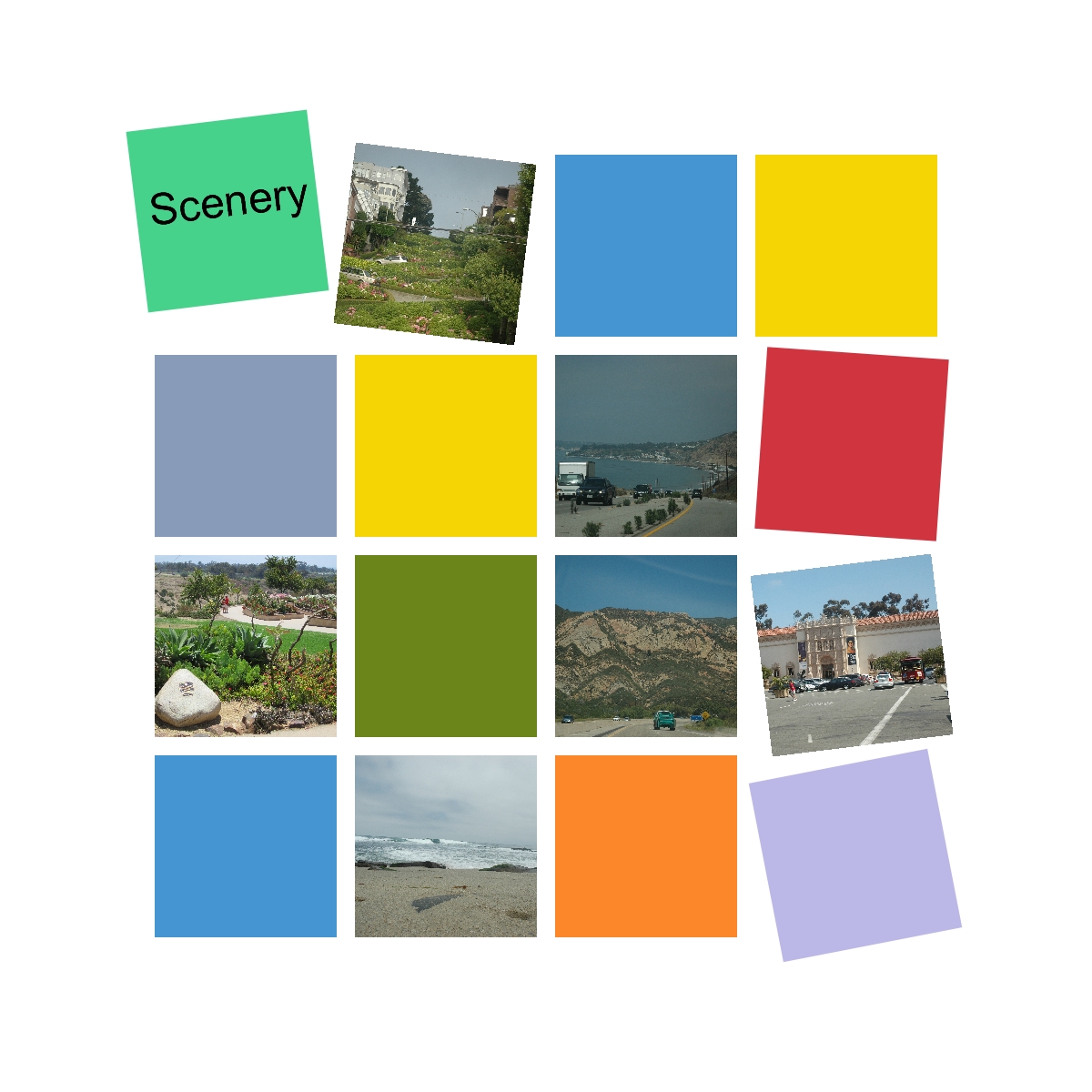 This template had a good amount of pages without text areas, which was fitting for my trip as we mainly were sightseeing and exploring what attractions were available in California. Also, I dislike writing. Hahaha...
 Again, I rearranged some boxes so I could have 3 coloured boxes adjacent to each other to spell out "See" and "You". As I mentioned previously, even though you loaded a template, each item (shape, text box, etc) are completely moveable and removable so you can make it fit your taste. No longer are you confined to the restrictions of the program. MyMemories Suite is made to fit you.
Video Tutorial (Provided by the company):
Welcome to the Family! from Lisa Jurrens on Vimeo.
Lastly, I have 2 things to share with the readers. Firstly, I was given the opportunity to host a giveaway of the program to one lucky reader of my blog.
Entry is simple. Just surf over to MyMemories' website and share your favourite kit (template) in the comments below. Just simply state the name of the template with the URL and why you like it (please write more than one sentence).
For example,
Fireworks Vol 1.
http://www.mymemories.com/store/display_product_page?id=MRKZ-EP-1105-2036
I like it because I enjoy looking at fireworks explode in the sky, they are so beautiful and mesmerizing. I want my scrapbook to have an impact and capture the attention of its viewers.
I will pick one of the comment randomly (I will random generate a number between 1 to #comments, the comment number that shows up will be the winner) on October 31, 2011. That is just about 1 month of time. Hopefully there will be a good number of applicants so it can be a little bit more lively here. (Even if its just once)
__
The second thing is for those of you who either don't want to wait until October 31, 2011 or didn't win in the giveaway. I was given a $10 off promo code to supply to the readers of my blog (Hurray!). So I'll share it with you all, if you wanted to get that scrapbooking software, now is the time !
The code is below,
STMMMS2796
Conditions (Taken from the site):
- This unique code is ONLY good for My Memories Suite v2
- MyMemories reserves the right to modify terms or conditions
Thank you for reading and best of luck in the giveaway ! If anyone wants to leave any comments or questions, please do so in the comments section below. I will try my best to answer them.
Read more!


